
- This topic is empty.
-
AuthorPosts
-
2026-05-09 at 3:40 pm #7270
The stylus pen has evolved from a simple capacitive pointer into a precision input tool that directly impacts user productivity across tablets, smartphones, and hybrid computing devices. In commercial applications—ranging from education and design to enterprise mobility—the performance of a stylus pen is no longer judged by basic touch response alone. Instead, it is evaluated by signal accuracy, latency control, pressure sensitivity, and long-term durability under continuous use.
For manufacturers and buyers operating at scale, selecting or developing the right stylus pen requires a deep understanding of sensing technologies, material engineering, and device compatibility. This article examines the stylus pen from a technical and production-oriented perspective, focusing on measurable performance factors and real-world usage scenarios.
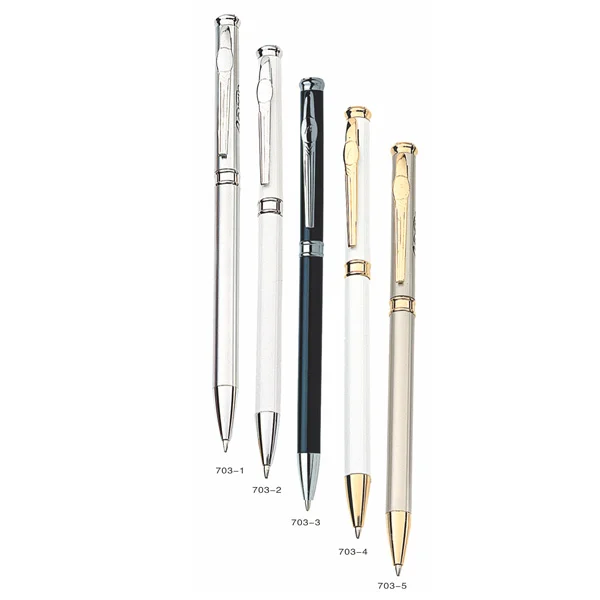
The Functional Role of a Stylus Pen in Modern Input Systems
A stylus pen acts as an extension of the human hand, translating physical motion into digital signals. However, the quality of this translation depends on the interaction between three layers: the stylus hardware, the touchscreen sensor, and the firmware algorithms.
In basic capacitive stylus pens, the input is interpreted as a finger touch, relying on conductivity and contact area. In active stylus systems, the pen communicates with the device through electromagnetic resonance (EMR), active electrostatic (AES), or Bluetooth-assisted protocols, enabling advanced features such as palm rejection, pressure sensitivity, and tilt detection.
This distinction is critical. A stylus pen designed for passive input cannot deliver the same level of precision required for handwriting, illustration, or industrial annotation.
Core Technologies Behind Stylus Pen Performance
Passive Capacitive Stylus
Passive stylus pens operate without internal electronics. They simulate the electrical properties of a human finger.
From a production perspective, the key variables include:
-
Tip material conductivity
-
Tip diameter (typically 6–10 mm)
-
Surface friction coefficient
While cost-effective, passive stylus pens lack precision. The large tip size limits fine detail work, making them suitable primarily for navigation or basic note-taking.
Active Stylus (AES and MPP)
Active stylus pens integrate electronic components to communicate directly with the device.
AES (Active Electrostatic) and MPP (Microsoft Pen Protocol) systems typically offer:
-
Pressure sensitivity levels: 1024 to 4096
-
Latency: 20–50 ms depending on system optimization
-
Palm rejection through signal differentiation
These pens require power (battery or rechargeable), and their performance depends heavily on firmware tuning and compatibility with specific device ecosystems.
Electromagnetic Resonance (EMR)
EMR stylus pens operate without batteries, drawing power from the display’s electromagnetic field.
Key characteristics include:
-
High precision and low latency
-
Stable signal transmission
-
No need for charging
EMR systems are widely used in professional drawing tablets due to their reliability and consistent performance over long usage cycles.
Key Performance Parameters That Drive Real-World Results
1. Tip Precision and Wear Resistance
The stylus tip directly determines writing accuracy and user experience.
A high-performance stylus pen typically uses engineered polymer tips with controlled hardness (measured on Shore scale) to balance durability and friction.
-
Softer tips: Better writing feel, higher wear rate
-
Harder tips: Longer lifespan, reduced friction control
In high-frequency usage scenarios such as education or logistics, tip wear can become a recurring operational cost. Optimizing material composition reduces replacement frequency.
2. Pressure Sensitivity Curve
Pressure sensitivity is not just about the number of levels. The response curve must be linear and predictable.
For example:
-
Entry-level: 1024 levels with basic linear mapping
-
Professional: 4096 levels with customizable curves
Inconsistent pressure response leads to uneven stroke thickness, which is unacceptable in design or handwriting applications.
3. Latency and Signal Stability
Latency defines how quickly the stylus pen responds to movement.
-
<20 ms: Near real-time experience
-
20–50 ms: Acceptable for general use
-
50 ms: Noticeable lag
However, latency is not only hardware-dependent. Firmware optimization and device refresh rate (e.g., 60 Hz vs 120 Hz displays) play a significant role.
Signal stability is equally important. Interference or signal drop can cause line breaks or jitter.
4. Palm Rejection Accuracy
Palm rejection relies on distinguishing stylus input from unintended touch.
Effective systems use:
-
Signal priority algorithms
-
Touch area differentiation
-
Timing-based filtering
Poor palm rejection results in accidental marks, especially in writing-heavy applications.
5. Tilt Recognition
Tilt functionality allows the stylus pen to simulate shading effects.
-
Detection range: typically ±60 degrees
-
Accuracy depends on sensor resolution and algorithm calibration
This feature is essential for creative applications but less critical for general use.
6. Battery Life and Power Management
For active stylus pens, power management directly affects usability.
Typical benchmarks:
-
Continuous usage: 8–20 hours
-
Standby time: several days to weeks
Rechargeable designs (USB-C or magnetic charging) are increasingly preferred over disposable batteries for sustainability and convenience.
Compatibility: The Most Overlooked Risk
Stylus pen performance is highly dependent on compatibility with device protocols.
A pen designed for AES may not function correctly on MPP devices, even if basic touch is detected.
Key compatibility factors include:
-
Protocol support (AES, MPP, EMR, proprietary)
-
Firmware version alignment
-
Screen technology (capacitive vs digitizer-based)
Mismatch leads to reduced functionality, including loss of pressure sensitivity or palm rejection.
Production and Material Engineering Considerations
From a manufacturing standpoint, stylus pen quality is determined by both electronic design and mechanical precision.
Structural Design
A well-designed stylus pen maintains balance and ergonomics:
-
Weight distribution: typically 10–20 grams
-
Diameter: 8–10 mm for comfortable grip
-
Center of gravity aligned with tip
Poor balance leads to user fatigue during extended use.
Surface Treatment
The outer casing affects both durability and user perception.
Common finishes include:
-
Anodized aluminum: premium feel, high durability
-
ABS plastic with coating: cost-effective, lighter weight
Surface roughness must be controlled to prevent slipping while maintaining a clean aesthetic.
Assembly Tolerance
Precision assembly ensures consistent signal transmission and tip alignment.
Critical tolerances include:
-
Tip concentricity
-
Internal PCB positioning
-
Contact stability
Deviation in these areas can result in jitter or inaccurate input.
Application Scenarios and Product Matching
Education and Digital Note-Taking
In classroom environments, the stylus pen must prioritize:
-
Reliability over advanced features
-
Long battery life
-
Durable tips
A mid-range active stylus with stable pressure sensitivity is typically sufficient.
Creative Design and Illustration
Design professionals require:
-
High pressure sensitivity (≥4096 levels)
-
Tilt recognition
-
Low latency
EMR or high-end AES stylus pens are better suited for these scenarios.
Enterprise and Field Applications
In logistics, healthcare, or field service:
-
Durability and drop resistance are critical
-
Compatibility across multiple devices is required
-
Battery life must support long shifts
Ruggedized stylus designs with reinforced tips and housings are preferred.
Cost vs Performance: Where Value Is Actually Created
The cost of a stylus pen is influenced by:
-
Electronic components (chipset, sensors)
-
Material selection
-
Manufacturing precision
However, focusing only on unit price often leads to higher total cost due to:
-
Frequent replacements
-
User dissatisfaction
-
Reduced productivity
A higher-quality stylus pen with better durability and stability often delivers better long-term value.
Quality Control and Supplier Evaluation
Consistent performance across production batches is essential.
Key quality indicators include:
-
Pressure sensitivity calibration consistency
-
Tip wear testing cycles
-
Signal stability under interference conditions
-
Battery performance validation
Manufacturers like Baixin Stationery Co., Ltd., with extensive experience in writing instruments, bring valuable expertise in material selection, ergonomic design, and quality control—critical factors in scaling stylus pen production.
Future Trends in Stylus Pen Development
The stylus pen market continues to evolve alongside display and computing technologies.
Key trends include:
-
Integration with AI-assisted handwriting recognition
-
Improved latency through higher refresh rate displays
-
Sustainable materials and recyclable components
-
Cross-platform compatibility improvements
These developments will further increase the role of stylus pens in both consumer and industrial applications.
Conclusion
A stylus pen is not just an accessory—it is a precision input device that directly affects user experience and operational efficiency.
Selecting the right stylus pen requires a clear understanding of performance parameters such as pressure sensitivity, latency, compatibility, and durability. By aligning these technical factors with real-world application needs, manufacturers and buyers can ensure consistent performance and long-term value.
With strong expertise in writing instrument manufacturing and continuous innovation, companies like Baixin Stationery are well-positioned to deliver stylus pen solutions that meet the demands of modern digital workflows.
http://www.baixin-pen.com
Baixin Stationery Co.,Ltd -
-
AuthorPosts

- You must be logged in to reply to this topic.